> For the complete documentation index, see [llms.txt](https://docs.gridmate.io/llms.txt). Markdown versions of documentation pages are available by appending `.md` to page URLs; this page is available as [Markdown](https://docs.gridmate.io/advanced-guides/grid-advanced-import.md).
# Grid - Advanced Import
## Overview
GridMate provides advanced **import** configuration built for precision, efficiency, and full control. With predefined import mappings and options, every import can be customized to your exact requirements eliminating unnecessary data processing, enforcing consistent structures, and significantly reducing manual effort.
## Import Mapping
Import mapping allows you to precisely define how incoming data fields correspond to your grid columns, ensuring accurate alignment, structured data organization, and robust integration across every import eliminating the need to manually remap fields every time you import data.
{% hint style="info" %}
The import wizard can automatically recognize and map fields using two methods:
1. **Label Matching:** When the column header in the source file matches the Salesforce field label.
2. **API Name Matching:** When the column header matches the Salesforce field API name.
{% endhint %}
Below is a step-by-step guide on how to create the **mapping** ��**:**
To create a mapping, you must first **map** your columns during the **Field Mapping** step of the import process.
{% hint style="info" %}
Keep in mind that you can update an existing mapping at any time.
{% endhint %}
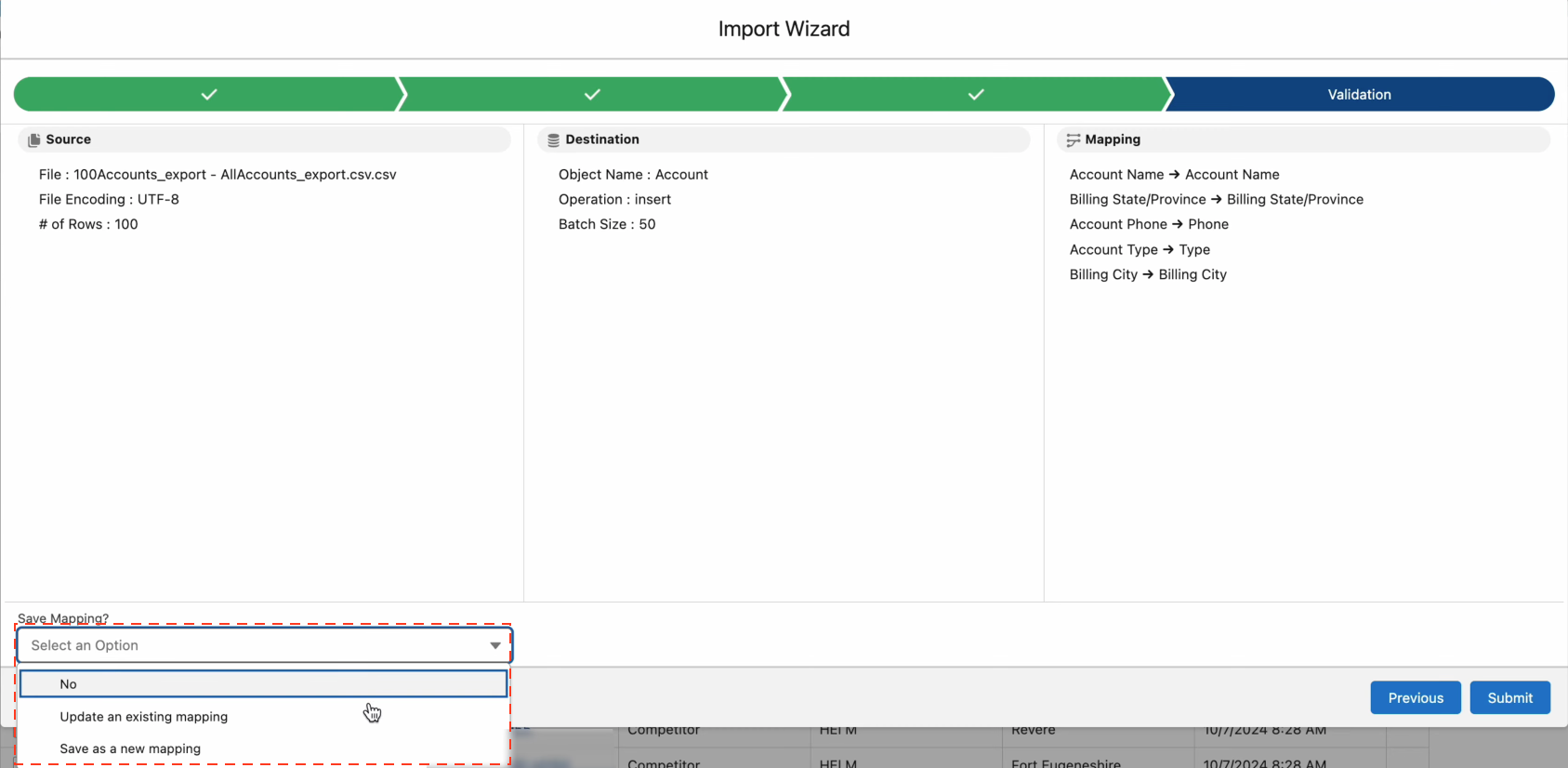
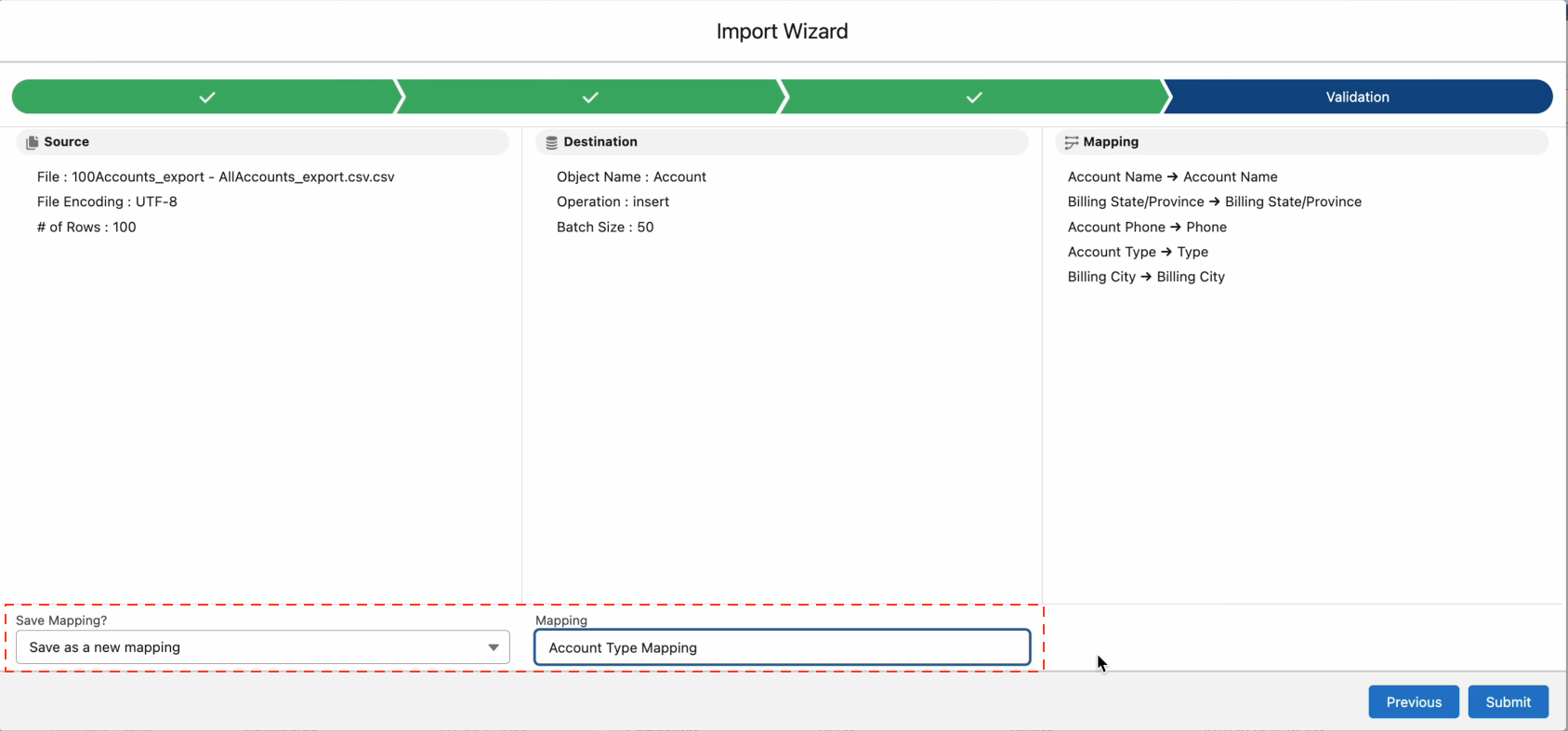
Save your **mapping** during the **validation step** by giving it a **name** and submitting it. This will create a reusable mapping template for future imports.
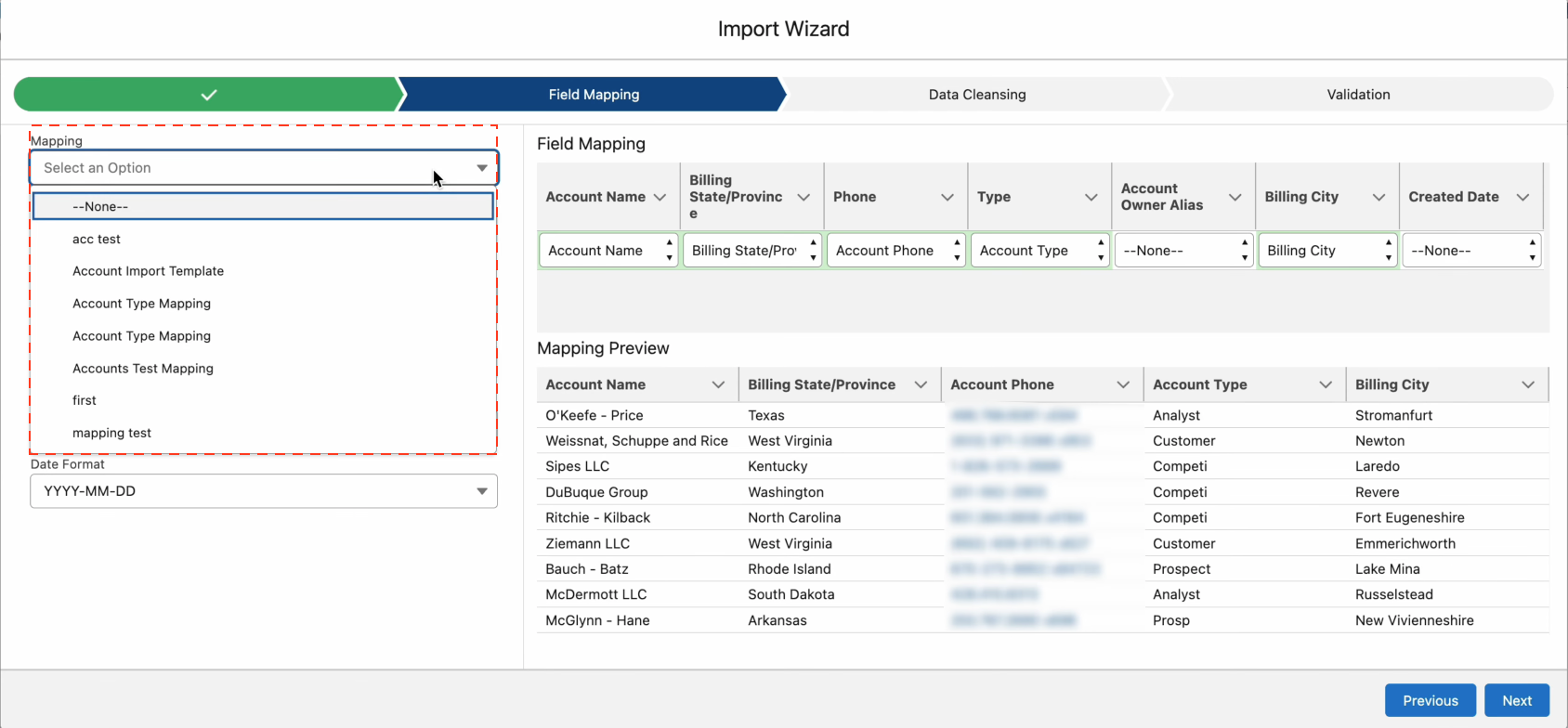
After saving your mapping, you can reuse it by selecting it from the **mapping list** during future imports.
## Import Options
```json
{
"delimiter": ";",
"previewSize": "25",
"operation": "insert",
"batchsize": "50",
"automapping": {
"AccountId": {
"type": "defaultValue",
"value": "$recordId"
}
},
"preprocessing": [
{
"type": "convert",
"operation": "convertPickList",
"attributes": {
"field": "StageName"
}
},
{
"type": "convert",
"operation": "convertPickList",
"attributes": {
"field": "gmpkg__Discount__c"
}
},
{
"type": "convert",
"operation": "resolveLookup",
"attributes": {
"mappedField": "gmpkg__Sponsor__c",
"lookupField": "gmpkg__Sponsor__c",
"refObjName": "Contact",
"titleField": "Name"
}
}
]
}
```