> For the complete documentation index, see [llms.txt](https://docs.gridmate.io/llms.txt). Markdown versions of documentation pages are available by appending `.md` to page URLs; this page is available as [Markdown](https://docs.gridmate.io/advanced-guides/grid-file-list-column.md).
# Grid - File List Column
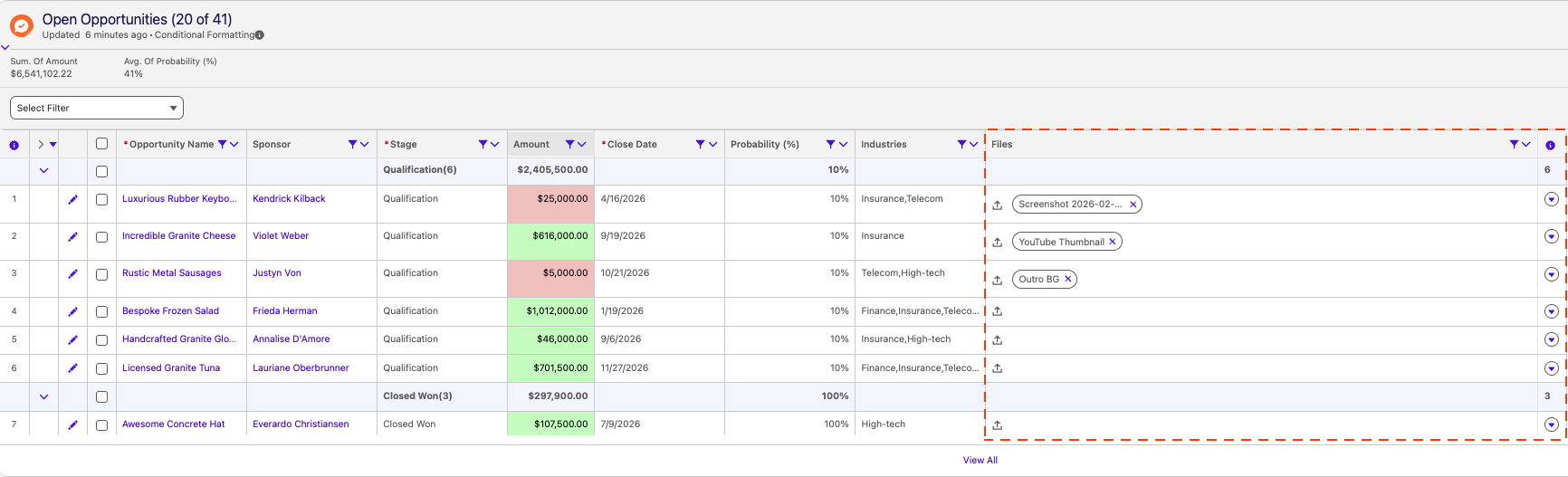
GridMate’s File List cell type introduces structured multi-file support within grid cells, enabling direct upload, visualization, and deletion without leaving the grid context.
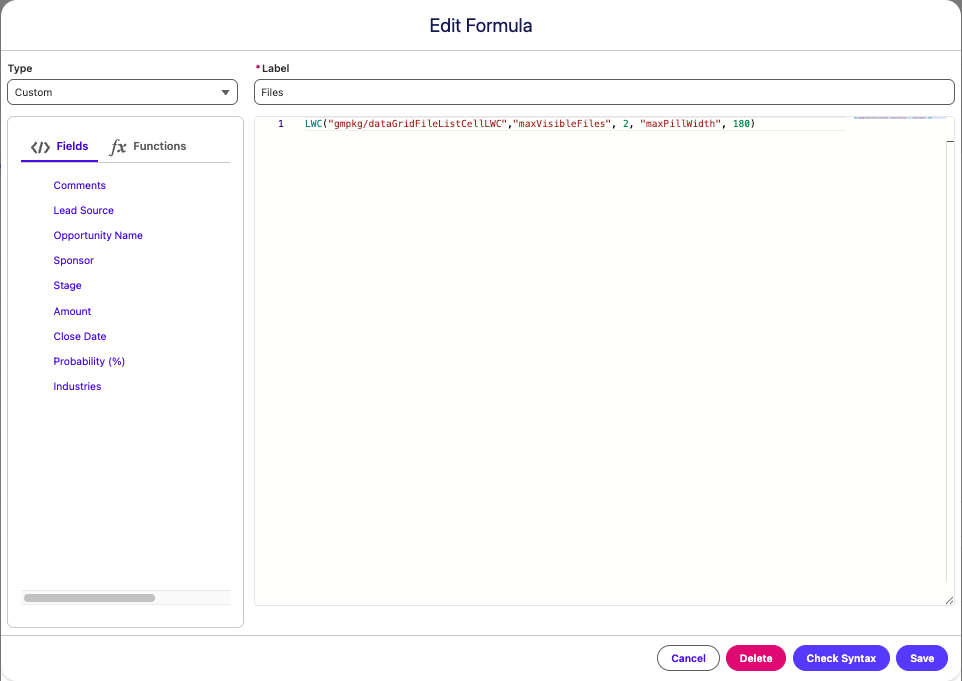
### **Formula Field** Setup
Below is the formula configuration used in this demo:
```javascript
LWC("gmpkg/dataGridFileListCellLWC","maxVisibleFiles", 2, "maxPillWidth", 180)
```
Once you have created the **Formula Field** and added the column to your grid, you can start managing your files. The video below provides a step-by-step tutorial on using the **Grid - File List Cell** 👇.
{% embed url="" %}